Write a real program
Start with a robot program, edit Python and inspect telemetry. Save a local draft or export your workspace.
Write Python. Build laboratory scenes. Explore robot motion in your browser—with optional help from an AI agent.
No installation. No robot required. Simulation is not hardware validation.
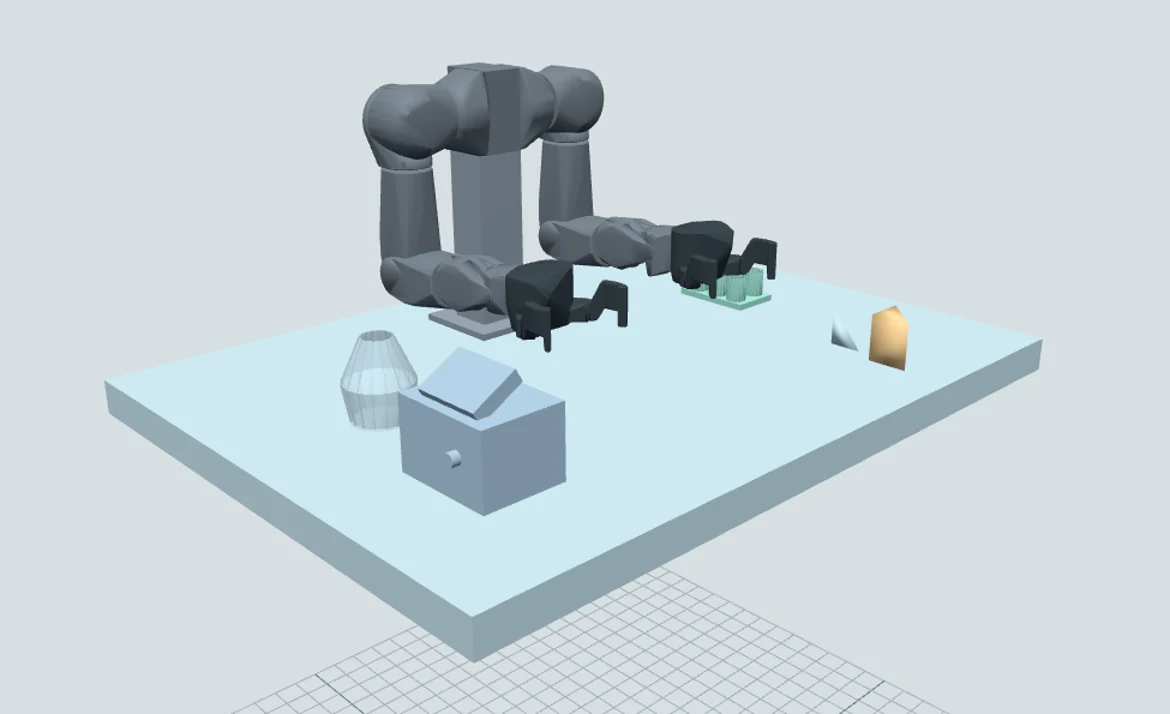
Code meets the physical world
Keep your program, scene and observations together. Every robot workspace makes its capabilities and limits visible.
Start with a robot program, edit Python and inspect telemetry. Save a local draft or export your workspace.
Inspect motion and contacts in MuJoCo. Compare requested targets with observed results; a completed command alone is not proof of task success.
Create OpenArm scenes with rotated parts, hollow profiles and validated convex meshes. Record assumptions and inspect the collision model.
Opt in to bounded WebMCP tools in a compatible host. Let an agent inspect, build and program while you retain Stop and access controls.
Photo-guided scene authoring
Give a laboratory photo to your multimodal agent. The agent interprets it and describes new equipment through the builder—not just a fixed list of equipment names.
The app validates the submitted geometry. It does not independently recognize image content, recover hidden mechanisms or calibrate dimensions from a photograph.
List visible items, uncertain geometry and unresolved equipment. Keep estimated dimensions and layout adjustments explicit.
Stage a bounded scene and check a disposable physics candidate. Only explicit application replaces the active workcell.
Define a supported task before grasping. Read contact, lift, carry, release and settled-placement evidence instead of assuming the command worked.
Robot workspaces
Six robot workspaces, each with a distinct set of supported experiments.
Bimanual manipulation Start here
Two-arm rigid-body manipulation, contact diagnostics and general laboratory scene authoring. Start here for scene building and the visitor guides.
Open OpenArm →Robot arm
A physical block-transfer benchmark with Python control and observed grasp, transport and release checks.
Open SO-101 →Mobile platform
A physical mobile-courier workspace. Read the selected task’s controls, source assumptions and evidence limits.
Open LeKiwi →Experimental humanoid
Actuator, whole-body dynamics and standing experiments. Bounded motion attempts are not a verified general walking or grasping capability.
Open Asimov →Policy-driven contact
Physical locomotion, ground-contact and ball-kick tasks with pinned policy/runtime assumptions. No physical roller mode is claimed.
Open MicroDuck →Humanoid dynamics & poses
Bounded physical dynamics and standing, plus a separate kinematic pose workspace. Walking and dexterous-hand control are not supplied.
Open Unitree →Simulation parameters and authoring limits are not hardware measurements or payload ratings. No laboratory liquids, chemical processes or automatic collision-free motion planner are included in the general scene builder.
Start with an experiment
Choose OpenArm, wait for Ready and explore the starter program. Take it further with your own scene or an agent-assisted experiment.
Launch the OpenArm workspace ↗A desktop browser is recommended for editing. The manuals work on mobile. The IDE needs access to its model and runtime assets.